🔬Technical Deep Dive
Full Specifications [+]
Quick Commands
git clone https://github.com/crownpku/Rasa_NLU_Chi pip install rasa_nlu_chi ⚖️ Free2AITools Nexus Index V2.0
💬 Index Insight
FNI V2.0 for Rasa Nlu Chi: Semantic (S:50), Authority (A:0), Popularity (P:69), Recency (R:28), Quality (Q:50).
Verification Authority
📋 Specs
- Language
- Python
- License
- Apache-2.0
- Version
- 1.0.0
Usage documentation not yet indexed for this tool.
🔗 View Source Code ↗Technical Documentation
Rasa NLU for Chinese, a fork from RasaHQ/rasa_nlu.
Please refer to newest instructions at [official Rasa NLU document](https://nlu.rasa.com/)
[中文Blog](http://www.crownpku.com/2017/07/27/%E7%94%A8Rasa_NLU%E6%9E%84%E5%BB%BA%E8%87%AA%E5%B7%B1%E7%9A%84%E4%B8%AD%E6%96%87NLU%E7%B3%BB%E7%BB%9F.html)
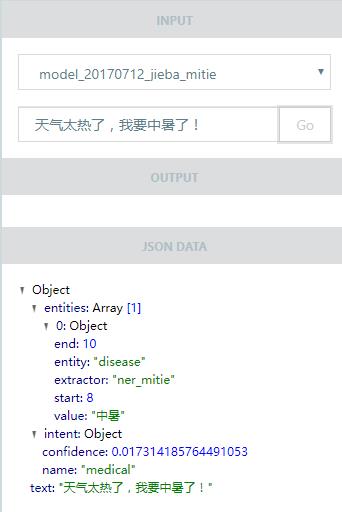
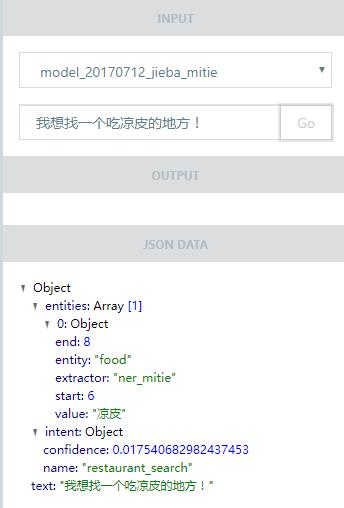
Files you should have:
- data/total_word_feature_extractor_zh.dat
Trained from Chinese corpus by MITIE wordrep tools (takes 2-3 days for training)
For training, please build the MITIE Wordrep Tool. Note that Chinese corpus should be tokenized first before feeding into the tool for training. Close-domain corpus that best matches user case works best.
A trained model from Chinese Wikipedia Dump and Baidu Baike can be downloaded from 中文Blog.
- data/examples/rasa/demo-rasa_zh.json
Should add as much examples as possible.
Usage:
- Clone this project, and run
python setup.py installModify configuration.
Currently for Chinese we have two pipelines:
Use MITIE+Jieba (sample_configs/config_jieba_mitie.yml):
language: "zh"

pipeline:
- name: "nlp_mitie"
  model: "data/total_word_feature_extractor_zh.dat"
- name: "tokenizer_jieba"
- name: "ner_mitie"
- name: "ner_synonyms"
- name: "intent_entity_featurizer_regex"
- name: "intent_classifier_mitie"
RECOMMENDED: Use MITIE+Jieba+sklearn (sample_configs/config_jieba_mitie_sklearn.yml):
language: "zh"

pipeline:
- name: "nlp_mitie"
  model: "data/total_word_feature_extractor_zh.dat"
- name: "tokenizer_jieba"
- name: "ner_mitie"
- name: "ner_synonyms"
- name: "intent_entity_featurizer_regex"
- name: "intent_featurizer_mitie"
- name: "intent_classifier_sklearn"
(Optional) Use Jieba User Defined Dictionary or Switch Jieba Default Dictionoary:
You can put in file path or directory path as the "user_dicts" value. (sample_configs/config_jieba_mitie_sklearn_plus_dict_path.yml)
language: "zh"

pipeline:
- name: "nlp_mitie"
  model: "data/total_word_feature_extractor_zh.dat"
- name: "tokenizer_jieba"
  default_dict: "./default_dict.big"
  user_dicts: "./jieba_userdict"
#  user_dicts: "./jieba_userdict/jieba_userdict.txt"
- name: "ner_mitie"
- name: "ner_synonyms"
- name: "intent_entity_featurizer_regex"
- name: "intent_featurizer_mitie"
- name: "intent_classifier_sklearn"
Train model by running:
If you specify your project name in configure file, this will save your model at /models/your_project_name.
Otherwise, your model will be saved at /models/default
python -m rasa_nlu.train -c sample_configs/config_jieba_mitie_sklearn.yml --data data/examples/rasa/demo-rasa_zh.json --path models- Run the rasa_nlu server:
python -m rasa_nlu.server -c sample_configs/config_jieba_mitie_sklearn.yml --path models- Open a new terminal and now you can curl results from the server, for example:
$ curl -XPOST localhost:5000/parse -d '{"q":"我发烧了该吃什么药?", "project": "rasa_nlu_test", "model": "model_20170921-170911"}' | python -mjson.tool
  % Total    % Received % Xferd  Average Speed   Time    Time     Time  Current
                                 Dload  Upload   Total   Spent    Left  Speed
100   652    0   552  100   100    157     28  0:00:03  0:00:03 --:--:--   157
{
    "entities": [
        {
            "end": 3,
            "entity": "disease",
            "extractor": "ner_mitie",
            "start": 1,
            "value": "发烧"
        }
    ],
    "intent": {
        "confidence": 0.5397186422631861,
        "name": "medical"
    },
    "intent_ranking": [
        {
            "confidence": 0.5397186422631861,
            "name": "medical"
        },
        {
            "confidence": 0.16206323981749196,
            "name": "restaurant_search"
        },
        {
            "confidence": 0.1212448457737397,
            "name": "affirm"
        },
        {
            "confidence": 0.10333600028547868,
            "name": "goodbye"
        },
        {
            "confidence": 0.07363727186010374,
            "name": "greet"
        }
    ],
    "text": "我发烧了该吃什么药?"
}AI Summary: Based on GitHub metadata. Not a recommendation.
🛡️ Tool Transparency Report
Technical metadata sourced from upstream repositories.
🆔 Identity & Source
- id
- gh-tool--crownpku--rasa_nlu_chi
- slug
- crownpku--rasa_nlu_chi
- source
- github
- author
- crownpku
- license
- Apache-2.0
- tags
- natural-language, chinese, chatbot, python
⚙️ Technical Specs
- architecture
- null
- params billions
- null
- context length
- null
- pipeline tag
- other
📊 Engagement & Metrics
- downloads
- 0
- stars
- 1,532
- forks
- 421
- github stars
- 1,532
Data indexed from public sources. Updated daily.